

Learn Grafana with online courses and programs
Companies use data visualization tools like Grafana to monitor their infrastructure and resolve issues before they escalate. Discover how to learn Grafana and develop your data analytics skills with online courses delivered through edX.

What is Grafana?
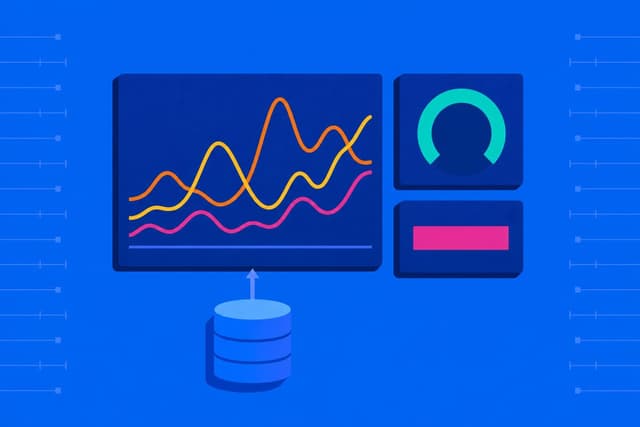
Grafana is a data visualization tool from Grafana Labs. It allows users to create dashboards with modular panels that display visualizations from data sources like MySQL, Prometheus, and Elasticsearch. Official and community-built dashboards are also available for users to import into their accounts.
With Grafana, companies can monitor system metrics and log data to ensure their networks are performing as they should. They can also set up alerts and act quickly if the platform detects any issues or anomalies.1 By learning how to use Grafana, you can help organizations monitor their data and reduce the impact of downtime.
Browse online Grafana courses
Browse online Grafana courses
Find new interests and advance your career opportunities
Stand out in your field
Use the knowledge and skills you have gained to drive impact at work and grow your career.
Learn at your own pace
On your computer, tablet or phone, online courses make learning flexible to fit your busy life.
Earn a valuable credential
Showcase your key skills and valuable knowledge.
Courses







Related Topics
Grafana tutorial curriculum
If you’re a complete beginner to Grafana, an introductory course can help you learn the basics. In addition to learning how to set it up and configure it, a Grafana course may cover topics such as how to:
- Run a Grafana docker image in a container.
- Add a metrics and log data source.
- Use Grafana variables to create interactive dashboards.
- Set up alerts with conditional rules.
Once you’ve mastered the basics, you can enroll in a more advanced Grafana course where you may learn to install and set up the Grafana Github plugin, as well as make your own. You may also learn how to:
- Use Grafana Loki to store and query log data.
- Use Grafana Tempo to visualize trace data.
- Integrate Grafana with other services.
- Use Grafana Helm charts in Kubernetes.
Learning how to use Grafana can supplement your knowledge of cybersecurity, data science, and computer science. With edX, you can tap into a wide range of educational opportunities designed for learners interested in exploring these subjects, as well as other disciplines. A boot camp can provide flexible, hands-on learning for those who want to upskill quickly, while executive education courses are made for busy professionals. You can also pursue a more comprehensive curriculum through a bachelor’s degree program or, for more advanced learners, a master’s degree program. Find the right learning path for you with edX.
Explore jobs that use Grafana
Explore jobs that use Grafana
Organizations across various industries use tools like Grafana to monitor their networks and identify trends in their data. Knowledge of Grafana can prove useful for positions such as:
- Software developer: Can use Grafana to monitor the performance of their applications. Data such as response times and error rates can help them troubleshoot issues and improve performance.2
- Network administrator: Can create customizable dashboards in Grafana to display network metrics like CPU usage and response times. Additionally, they may take on the responsibility of setting up alerts to promptly address any anomalies detected by the system, ensuring the network functions as intended.3
- Cybersecurity specialist: May use Grafana to analyze data from intrusion detection systems and take preventive measures to secure networks from cyberattacks.4
- Cryptographer: Plays a key role in building systems and creating algorithms that keep sensitive data secure.5 They may use Grafana to uncover network vulnerabilities and recommend solutions to close those gaps.
- Data analyst: Helps organizations collect, organize, and analyze their data.6 Grafana supports a range of data sources and visualizations, which enables data analysts to uncover new insights and create reports to present their findings.
Educational requirements will depend on the position and company you apply to. Some roles may require a degree in a relevant field like data science or computer science, while others may require a certain level of proficiency in skills that you can develop in a coding boot camp or in a cybersecurity boot camp.
How to use Grafana for cybersecurity
Infrastructure downtime can cost companies more than just revenue. It can damage their reputation and even result in legal issues.7 Proficiency in tools like Grafana may prove valuable for a career in cybersecurity. You can use the platform to monitor system metrics and help companies strengthen their networks against potential attacks. Grafana can also help you create reports that you can use to educate the company on security guidelines.
If you want to use Grafana for cybersecurity, you can start by learning how to analyze and explore data. Knowledge of databases and some coding skills are also important, as Grafana relies on plugins to ingest data from various sources.8 Experience in IT networking and system administration may help too.
Enroll in an accelerated data analytics boot camp to learn how to get the most out of data visualization tools. For a more comprehensive education, you can also pursue a bachelor’s degree in data science to sharpen your data skills.
More opportunities for you to learn
We've added 500+ learning opportunities to create one of the world's most comprehensive free-to-degree online learning platforms.
Grafana FAQ
Frequently Asked Questions
Introduction to Grafana. Grafana. Retrieved May 21, 2023.
Software Developers, Quality Assurance Analysts, and Testers. (2023). U.S. Bureau of Labor Statistics. Retrieved May 21, 2023.
Network and Computer Systems Administrators. (2023). U.S. Bureau of Labor Statistics. Retrieved May 21, 2023.
Information Security Analysts. (2022). U.S. Bureau of Labor Statistics. Retrieved June 1, 2023.
Cryptography and its Types. (2023). GeeksforGeeks. Retrieved June 1, 2023.
Data Analytics: What It Is, How It's Used, and 4 Basic Techniques. (2023). Investopedia. Retrieved June 1, 2023.
The Unplanned Downtime Nightmare — And How Operators Can Avoid It. (2021). Forbes. Retrieved June 1, 2023.
Build a Data Source Plugin. (2023). Grafana. Retrieved May 21, 2023.